Task simulation: what gains or loses time
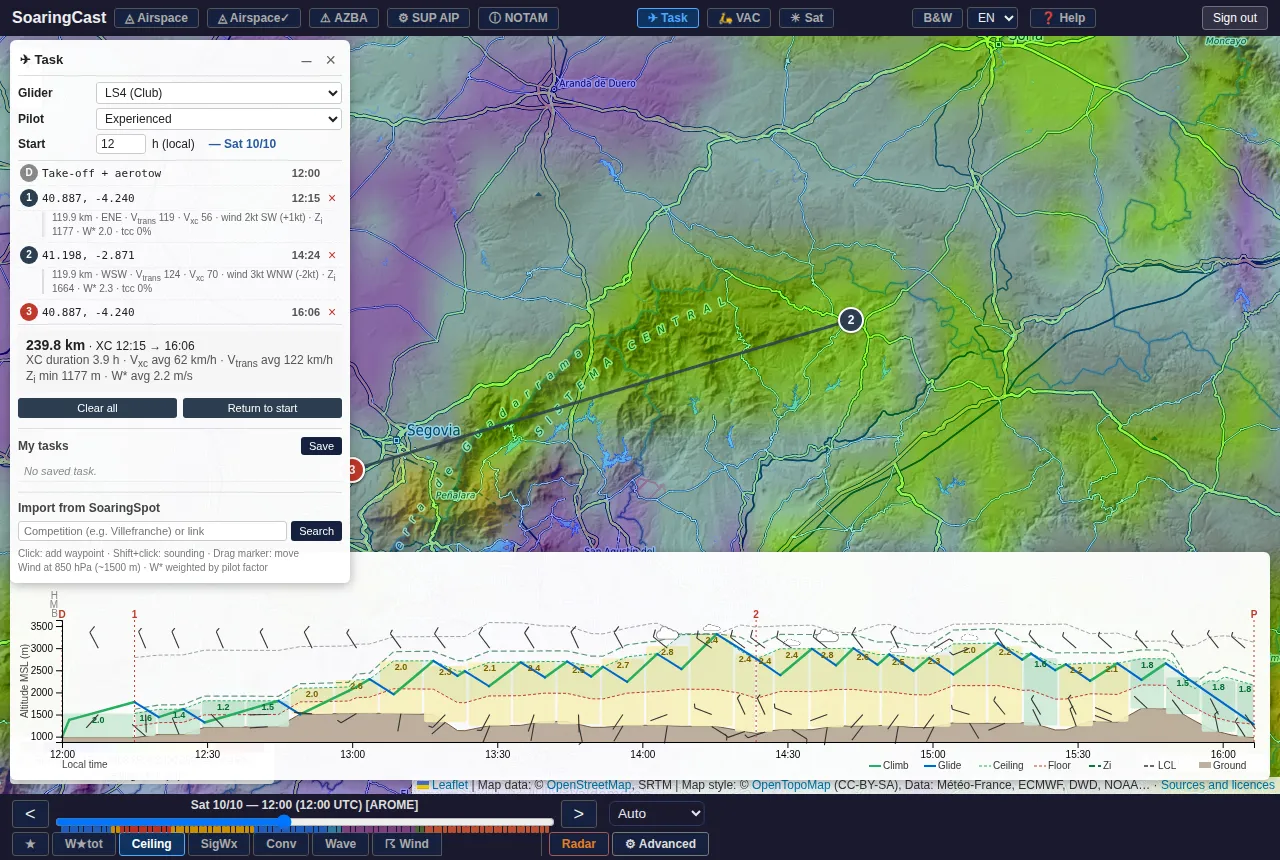
The ✈ Task button flies a virtual glider around your task, in the forecast weather. The speed and timing shown are those of this simulated flight, not an estimate made at the start. Here is what the simulation responds to.
The weather, at the time you get there
The flight day is the one on the time bar: move the cursor to another day to simulate the same task on that day.
Time moves on during the flight. The glider meets the weather forecast for the place and time it gets there: a task started at 11:00 does not see the same day as the same task started at 13:00. What matters:
- lift strength (W★tot): it sets the climb rate, and so the pace of the flight;
- working height, between floor and ceiling: the greater it is, the longer and faster the glides;
- rain: it weakens climbs, down to none under a shower;
- wave: it can carry the glider where thermals are lacking, even late.
Wind
- Headwind lengthens the glides; tailwind shortens them.
- Crosswind makes the glider drift while circling, then calls for a heading correction on the glides.
- Wind is taken at flight altitude, not at the ground.
Glider and pilot
- The glider: six typical gliders, from the ASK21 to the Nimbus 4D. Their glide ratio and cruising speed change everything. The polars are approximate, without water ballast.
- The level (novice, experienced, champion) affects two things: how much of the lift is actually used, and the quality of the glides.
Terrain and the end of the day
- A mountain range higher than the glider is flown around.
- The final glide keeps a safety margin above the finish.
- When lift stops (end of the day, rain, ceiling too low), the glider glides. If it cannot reach the next point, it diverts to the most reachable airfield, otherwise it lands out: that is the cow on the profile.
What the simulation does not do
- It follows the straight line between points (except for terrain): it does not look for cloud streets or the best routes.
- It does not pick its thermals: the climb is that of the average air mass.
- It ignores airspace.
- For competition tasks, it flies centre to centre of the turn areas, without optimising AATs.
How to use it
Compare rather than trust the number: two days, two start times, two directions, two routes. The simulation shows which one fits the day best, and where the hard legs are: low profile, long glides, outlanding.
Create an account to access the map, soundings and the dashboard.
Create an account